Getting Started with Walio
Get your account set up and your social channels connected in just a few minutes. This guide covers the essential first steps to get Walio working for you.
Create Your Account
- 1
Go to Walio
Visit platform.walioai.com and click Sign Up.
- 2
Choose your sign-in method
You can register with your email or sign in with Google for faster setup.
- 3
Complete your profile
Add your business name and basic information. This helps personalize your experience.
Connect Your Social Accounts
Walio works with Instagram Business and Facebook Pages. Both platforms are owned by Meta, so you only need one connection to link both.
- 1
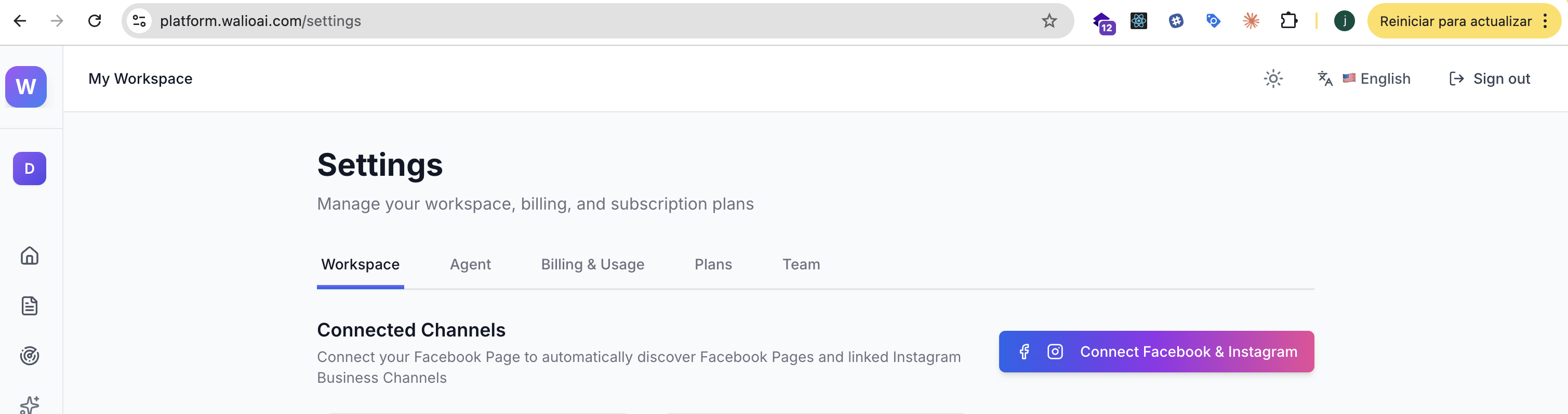
Open Settings
Click Settings in the sidebar, then select the Workspace tab.
- 2
Start the connection
Click the Connect Facebook & Instagram button. This opens Meta's authorization page.
- 3
Authorize with Meta
Log in to your Facebook account if prompted. Review the permissions and click Continue.
- 4
Select your pages
Choose which Facebook Pages and Instagram Business accounts you want to connect. You can select multiple.
- 5
Complete setup
Click Done to finish. You'll return to Walio and see your connected channels listed.
Start with one account
Connect just one account to begin. You can always add more channels later from Settings.
Troubleshooting Connection Issues
Instagram account not showing?
Walio only works with Instagram Business or Creator accounts. Personal accounts won't appear. To convert: Instagram Settings → Account → Switch to Professional Account.
Facebook Page missing?
You need Admin access to the Facebook Page. Pages where you're only an Editor won't appear. The Page must also be linked to your Instagram Business account in Meta Business Suite.
Connection expired?
Meta tokens expire periodically. If you see "Reconnect", click Connect Facebook & Instagram again. Your leads and settings are preserved.
What's Next?
Your accounts are connected. Now it's time to set up monitoring on your first post so Walio can start capturing leads.
Monitor Your First Post
Set up automated responses and lead capture on your posts and stories
Configure Agent Preferences
Set budget ranges, project types, and notification thresholds
Qualification Criteria
Customize what information your AI extracts from conversations