Understanding the Radar
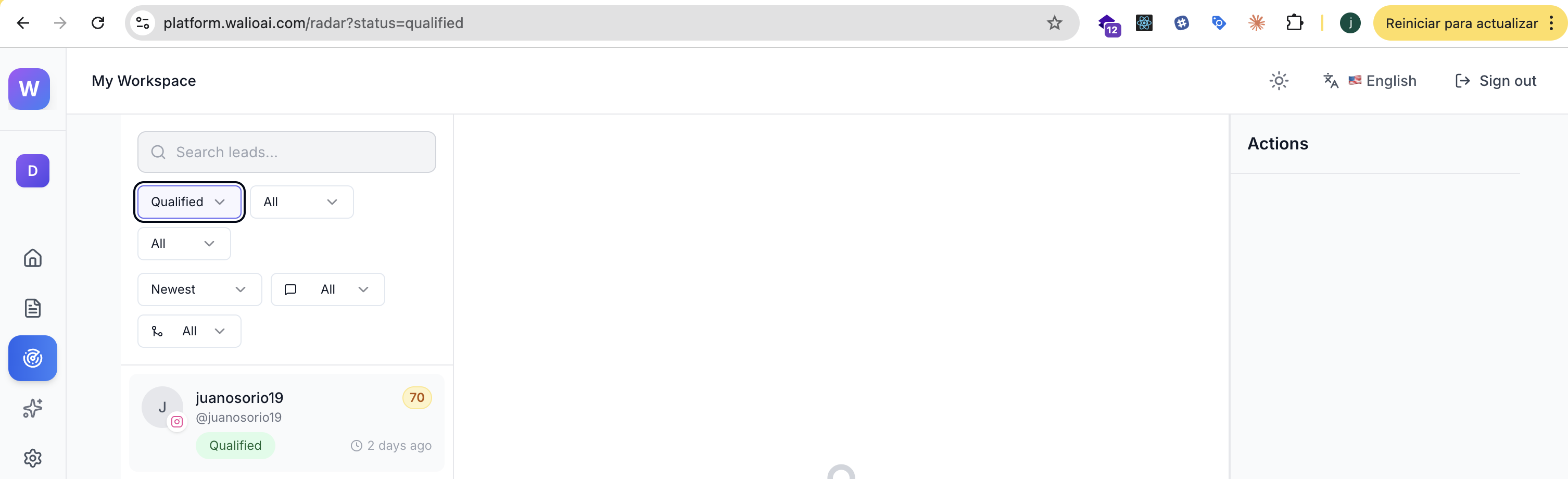
The Radar is your command center for all captured leads. Here you'll see everyone who's interacted with your monitored posts, along with their qualification scores and extracted information.
Coming Soon
This guide is being expanded with detailed instructions. Check back soon for the complete walkthrough.
Quick Overview
The Radar shows you:
- Lead cards with profile info and qualification scores
- Filters to sort by status, channel, and date
- Quick actions to send DMs, add notes, or archive leads
Lead Details
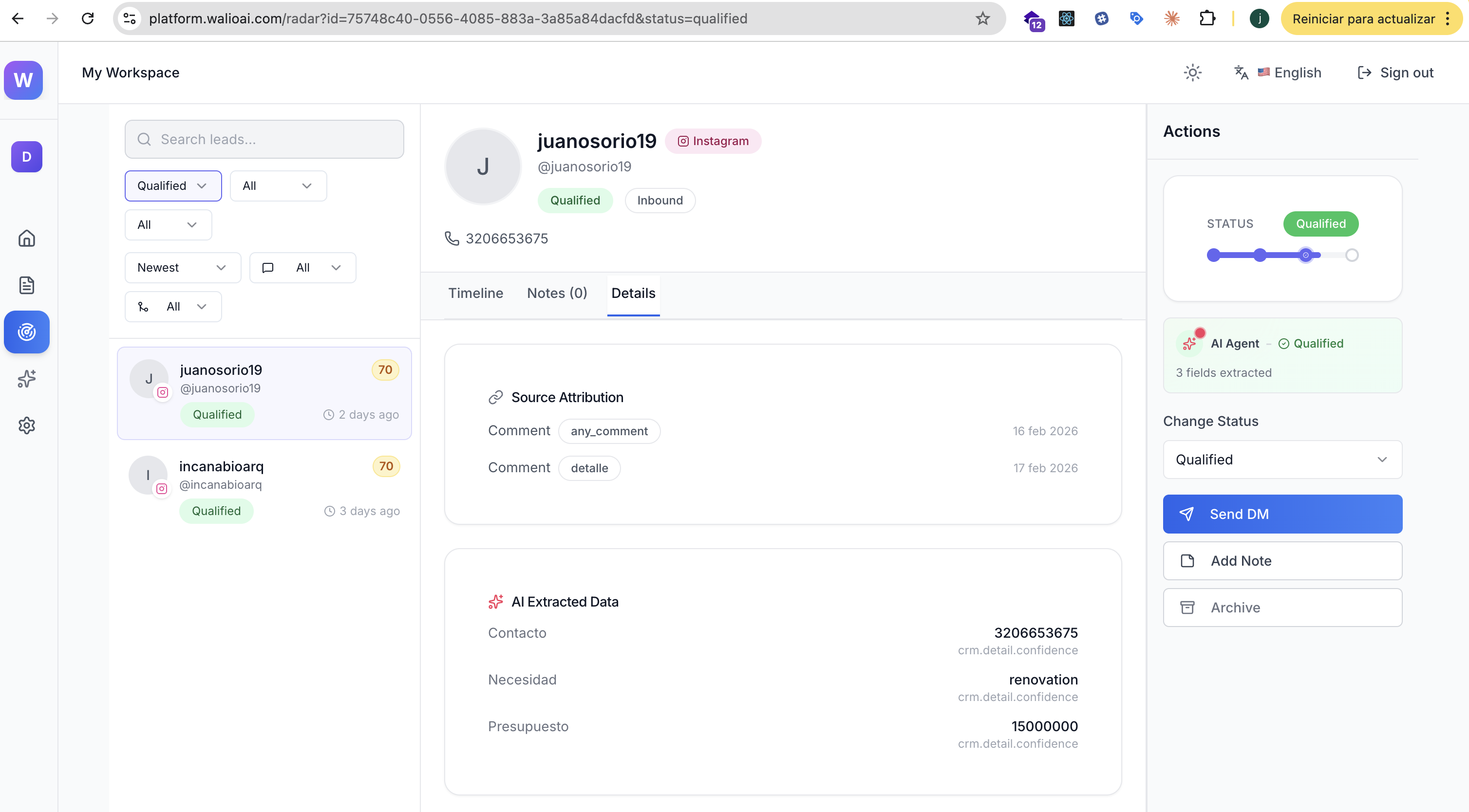
Click any lead to see their full profile:
- Contact information (phone, email, WhatsApp)
- AI-extracted data (budget, needs, timeline)
- Conversation history
- Source attribution
Next Steps
WhatsApp Follow-up
How to contact leads using extracted phone numbers
Agent Preferences
Configure notification thresholds to get alerted about hot leads